Selecting a Reliable Home CCTV System for Security
By Housey · Last reviewed 11th of May 2026
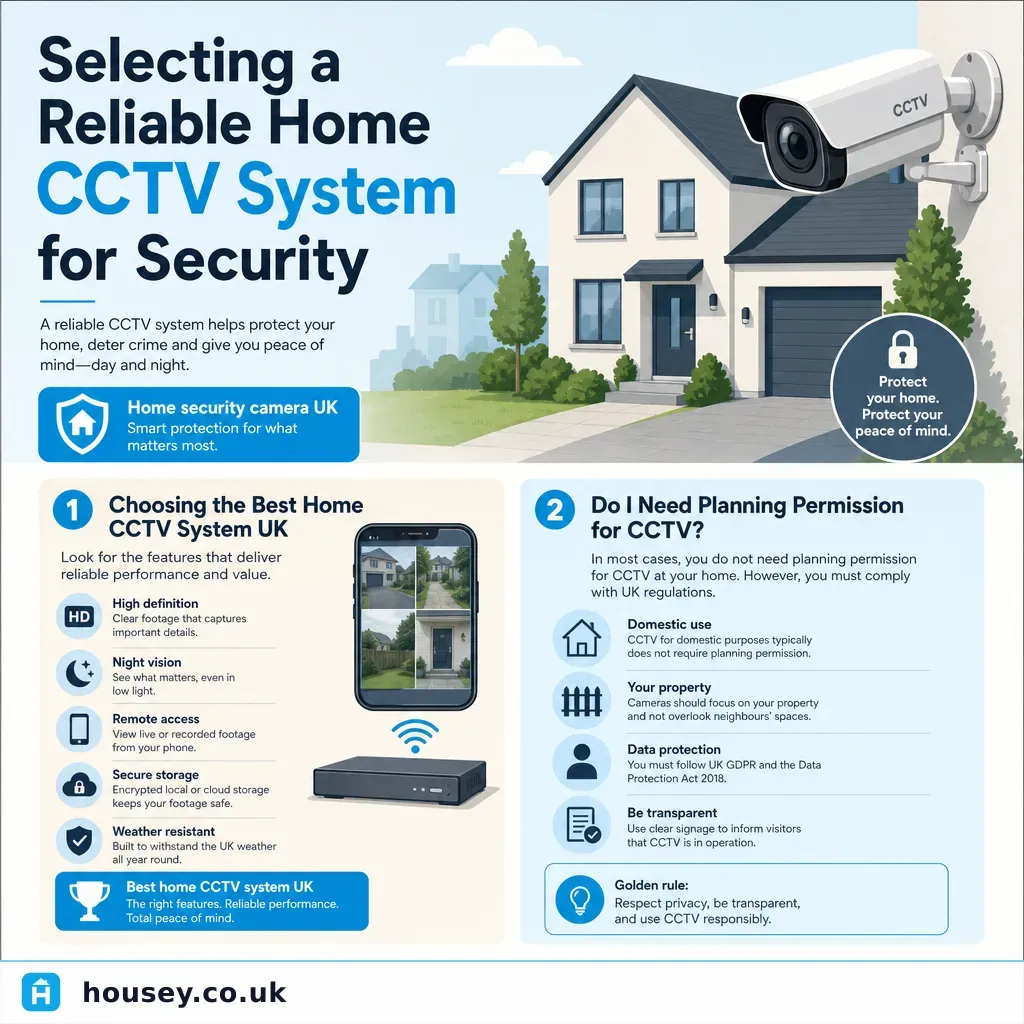
Selecting a Reliable Home CCTV System for Security
Installing a home CCTV system is increasingly common across the UK, whether you own a Victorian terrace, a 1930s semi, or a modern new-build. The decision often arises after a local break-in, an insurance prompt, or simply the desire for greater peace of mind. Choosing the wrong system — under-specified cameras, unreliable wireless connections, or one that inadvertently captures a neighbour's garden — can create practical and legal headaches before you have ever reviewed a single clip.
Key points
- UK GDPR applies to domestic CCTV if your cameras capture images of people beyond your own property boundary, such as a public pavement or a neighbour's garden; once the domestic household exemption no longer applies, the ICO's specific guidance for homeowners becomes relevant.
- If cameras record public areas or neighbouring land, the ICO recommends displaying a CCTV notice sign and being prepared to handle requests for footage; review the ICO domestic CCTV guidance before installation.
- A resolution of 4 megapixels (4MP) or above is generally recommended for capturing recognisable facial detail or vehicle number plates at typical domestic distances.
- Power over Ethernet (PoE) wired systems offer more reliable connectivity and continuous recording than battery-powered cameras, which may miss events between charges or on motion-trigger delays.
- Night vision range varies significantly: budget cameras typically cover 10–15 metres, while mid-range and higher-specification units can reach 20–30 metres using infrared or colour night vision.
Do you need planning permission for home CCTV?
In most cases, domestic CCTV on a private dwelling does not require planning permission under permitted development rights. However, there are exceptions:
- Listed buildings may need listed building consent before any external fixings are made to the fabric of the building.
- Conservation areas may have restrictions on external alterations that are visible from a public highway.
- Leasehold flats may have lease clauses restricting external installations — check your lease and speak to your managing agent before proceeding.
Always confirm with your local planning authority if you are unsure about your specific property or location.
Wired, wireless, or hybrid? Choosing your system type
System type | Best for | Not ideal for | Typical cost range (indicative) | Main limitation |
|---|---|---|---|---|
PoE wired (Power over Ethernet) | Reliable continuous recording, larger properties, multi-camera setups | Renters, listed buildings, or where cabling through walls is impractical | £300–£1,200+ installed | Requires cable runs; professional installation usually recommended |
Wi-Fi wireless | Smaller homes, renters with landlord permission, quick setup | Properties with poor Wi-Fi coverage; locations needing reliable 24/7 recording | £150–£600 for 2–4 cameras | Signal drops, battery dependency, cloud subscription costs |
Battery-powered wireless | Outbuildings, gates, areas without mains power | Busy entry points needing continuous coverage | £80–£400 per camera | Requires regular charging; motion-trigger delay may miss events |
Hybrid (wired power, wireless data) | Compromise where full cabling is impractical | Same Wi-Fi signal concerns apply | £200–£800 | Less resilient than full PoE wired |
Indicative UK costs, last reviewed 2026-05-11. Installed costs vary by property size, camera count, and installer. Always obtain multiple quotes.
Key features to look for
Resolution: 2MP (1080p) is the minimum acceptable for general use; 4MP or 8MP (4K) is preferable where number-plate or facial recognition detail is needed at greater distances.
Field of view: A wider angle (100–130°) suits front doors and driveways; a narrower lens is better for a specific distant focal point such as a gate or boundary wall.
Night vision: Infrared (IR) night vision is standard across most cameras. Some models offer colour night vision using ambient light or built-in LEDs, which improves recognition of clothing and vehicle colours in low light.
Storage: Choose between local storage (NVR or DVR with a hard drive), cloud storage (usually subscription-based), or SD card. Local storage avoids monthly fees and keeps footage private; cloud storage provides off-site backup if a camera is stolen or damaged.
Smart alerts: Motion detection with human or vehicle filtering reduces false alerts from trees, animals, or passing traffic. AI-powered detection is available on many mid-range systems and meaningfully reduces notification fatigue.
CCTV and your neighbours: the legal position
The ICO's domestic CCTV guidance makes clear that once cameras capture images of people in a public space or on neighbouring land, the domestic household exemption is unlikely to apply and UK GDPR obligations become relevant. In practice:
- Angle cameras to cover your own property — front door, driveway, back gate — rather than sweeping the full street or a neighbour's garden.
- Display a CCTV notice sign where the system records a public or shared area.
- Be prepared to share footage with the police if a crime is reported on or near your property.
- Respect neighbours' reasonable expectations of privacy — persistent recording of their garden, windows, or living spaces can lead to ICO complaints or civil action.
This is not a reason to avoid CCTV, but it is a reason to plan camera placement carefully before you buy.
Before you buy: homeowner checklist
When to get professional help
Installing a basic one or two-camera wireless system is within the capability of many confident DIYers, provided cameras are mounted below 2 metres. Professional installation is advisable when:
- You want a wired PoE system requiring cable runs through walls, ceilings, or roof voids.
- You need to mount cameras above 2 metres — working at height carries a meaningful risk of injury and should not be attempted without appropriate equipment and experience.
- Your system will cover multiple buildings or a large property with complex coverage requirements.
- Your property is listed or in a conservation area and you need advice on compliant fixings with minimal impact on the building fabric.
Look for installers who hold NSI Gold or SSAIB accreditation for residential security systems.
How Housey can help
Housey connects homeowners with trusted local professionals across a wide range of home improvement and security services. If you are planning a more complex CCTV installation or want help comparing qualified installers in your area, explore the Housey service directory to find vetted professionals near you.
Frequently asked questions
Does home CCTV require planning permission?
Usually not for a standard domestic property under permitted development rights. Exceptions include listed buildings, conservation areas, and leasehold flats where the lease or managing agent may restrict external installations. Always confirm with your local planning authority or freeholder before proceeding if you are unsure about your specific property.
Can my neighbour object to my CCTV?
A neighbour cannot compel you to remove CCTV that is lawfully installed and focused on your own property. However, if cameras consistently capture their private space — a garden or windows — they may raise a complaint with the ICO or seek civil remedies. Angling cameras to cover your own land is both courteous and legally prudent.
Do I need to tell people they are being recorded?
The ICO recommends displaying a CCTV notice sign if your system captures images of people in public areas or on others' property. For cameras covering only your own internal space, this is less pressing — but transparency is good practice and helps avoid disputes with neighbours or complaints to the ICO.
What is the difference between DVR and NVR systems?
A DVR (Digital Video Recorder) works with analogue cameras connected via coaxial cable. An NVR (Network Video Recorder) works with IP cameras over an Ethernet network, typically offering higher resolution and simpler expansion. PoE NVR systems are the modern standard for new wired residential installations.
Sources and further reading
- ICO domestic CCTV guidance — Information Commissioner's Office
- Secured by Design — home security — Police Crime Prevention Initiatives
- GOV.UK — when is planning permission required? — GOV.UK
- NSI — National Security Inspectorate — NSI
Useful next reads
 General property advice
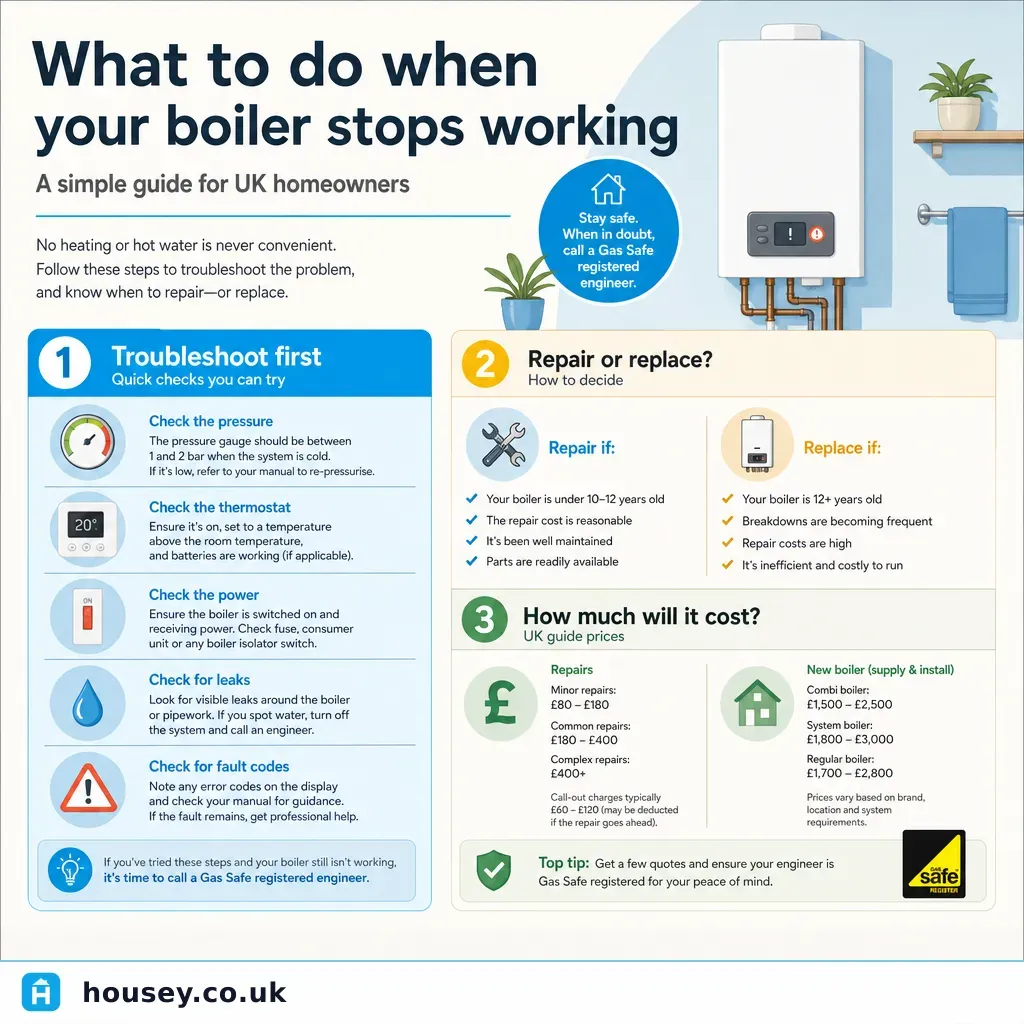
What to do when your boiler stops working
When your boiler stops working, check the pressure gauge (should read 1–1.
 General property advice
Property Market Trends: Activity Growth and Price Movements
UK property market activity is measured through completed sale registrations (HM Land Registry), lender mortgage data, and transaction volumes from HMRC.
 General property advice
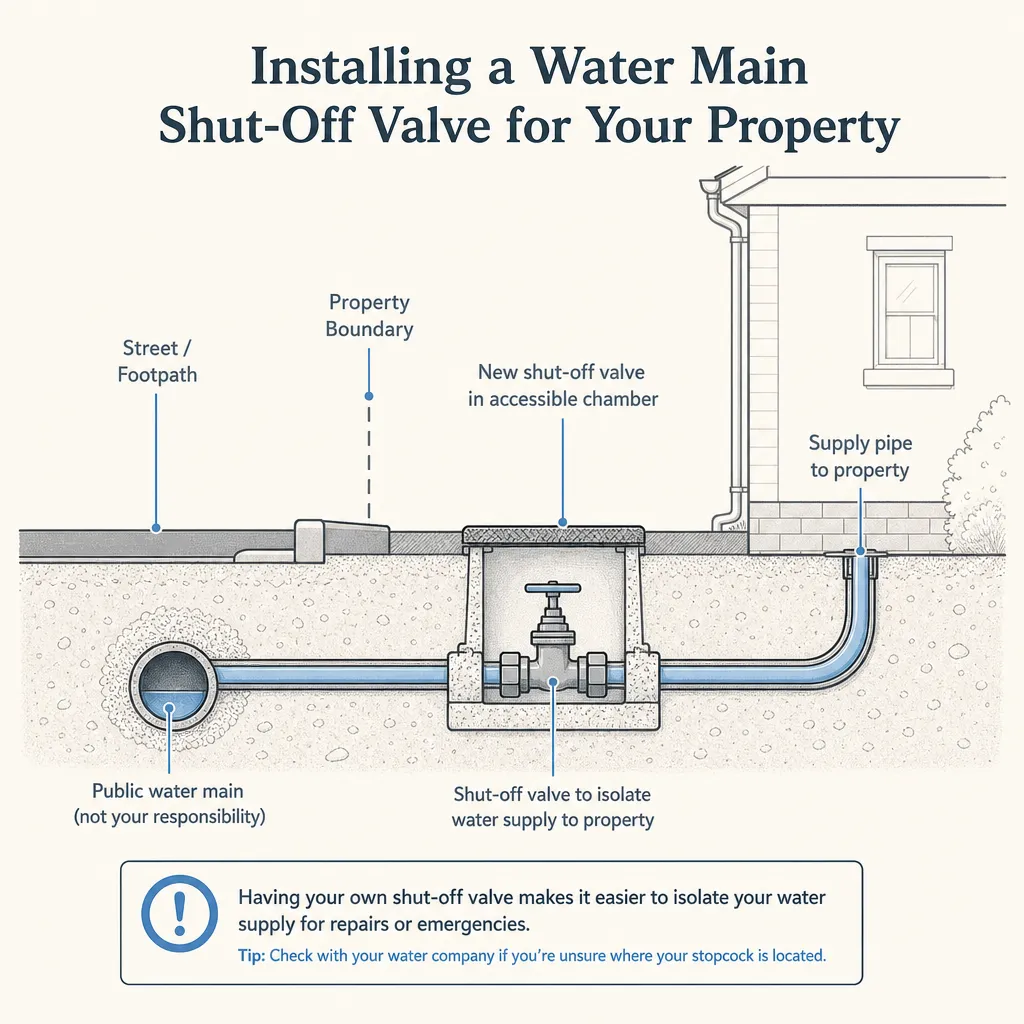
Installing a water main shut-off valve for your property
A water main shut-off valve — commonly called a stopcock — controls all water entering your home from the mains.
 General property advice
Monthly House Price Index: August Market Report and Analysis
The UK House Price Index is published monthly using completed Land Registry transaction data, meaning August figures typically reflect sales agreed months earlier.
 General property advice
Scottish Property Market: Activity and Regional Trends
Scotland's property market operates under distinct legal rules: sellers must provide a Home Report before marketing, transactions become legally binding at conclusion of missives rather than exchange of contracts, and Land and Buildings Transaction Tax replaces Stamp Duty.